Scrub a timeline in Final Cut Pro
Slide your thumb across the trackpad to move the playhead on your Mac. The edit stays on the big screen while your hand stays on the couch.
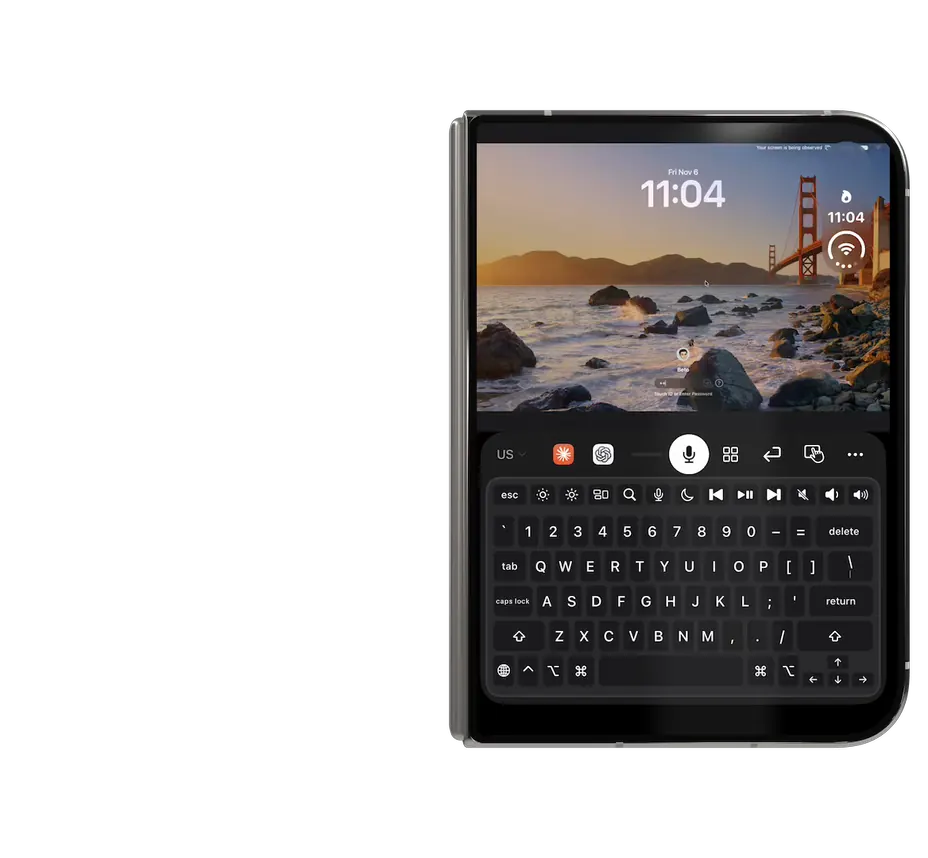
Your iPhone becomes a trackpad, keyboard and microphone for the Mac you left running at home.
Local Wi-Fi in the house, your own Tailscale network everywhere else.
Talk to the focused Mac app. The keyboard appears only when you ask for it.
Paired devices only. No relay server, no account, nothing stored.
Slide your thumb across the trackpad to move the playhead on your Mac. The edit stays on the big screen while your hand stays on the couch.
See the keyboard and trackpad working together in a 74-second walkthrough.
Pair on your Wi-Fi. Leave, and reach the same Mac through your own Tailscale network. No Nimvo relay in between.
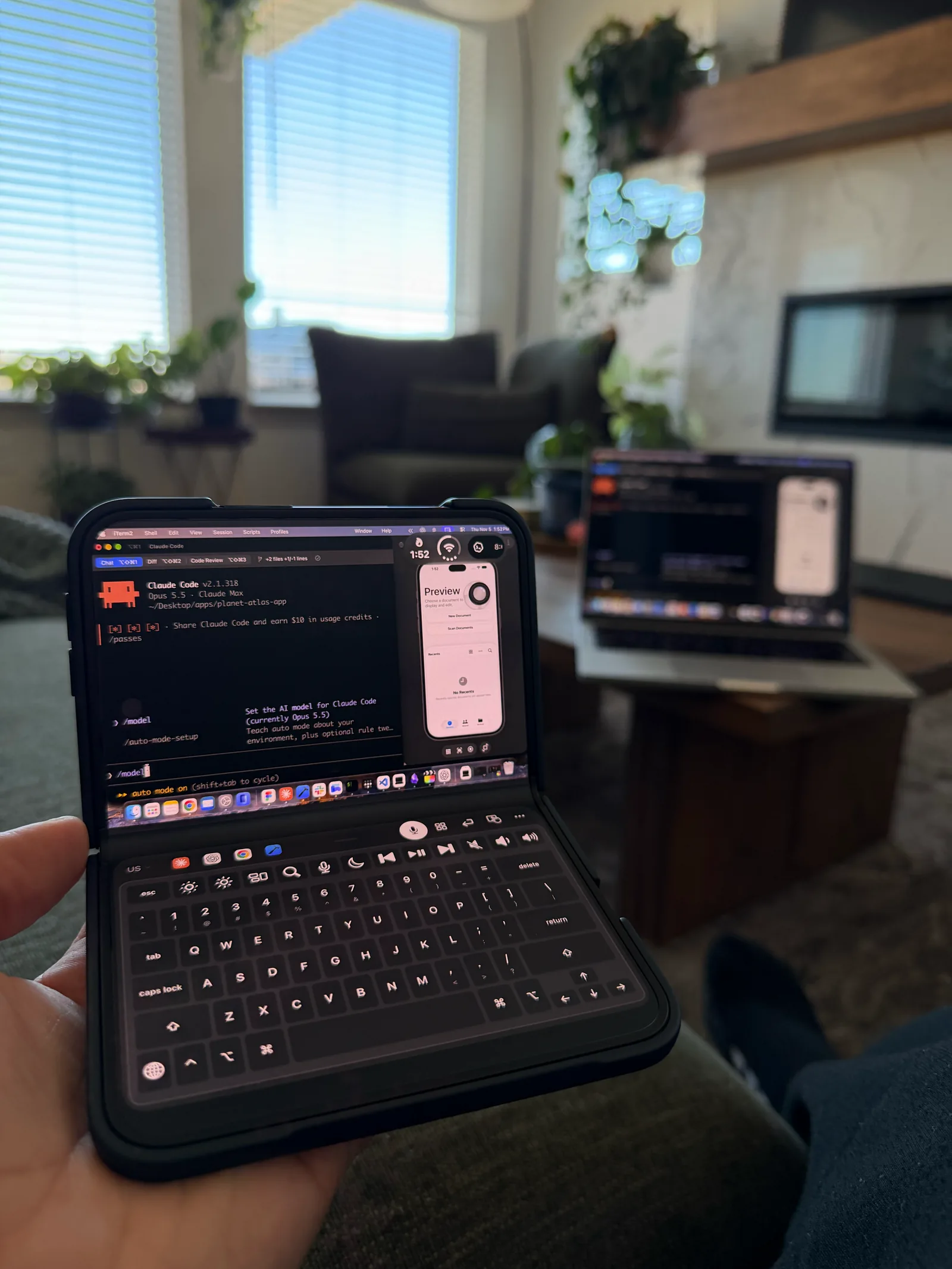
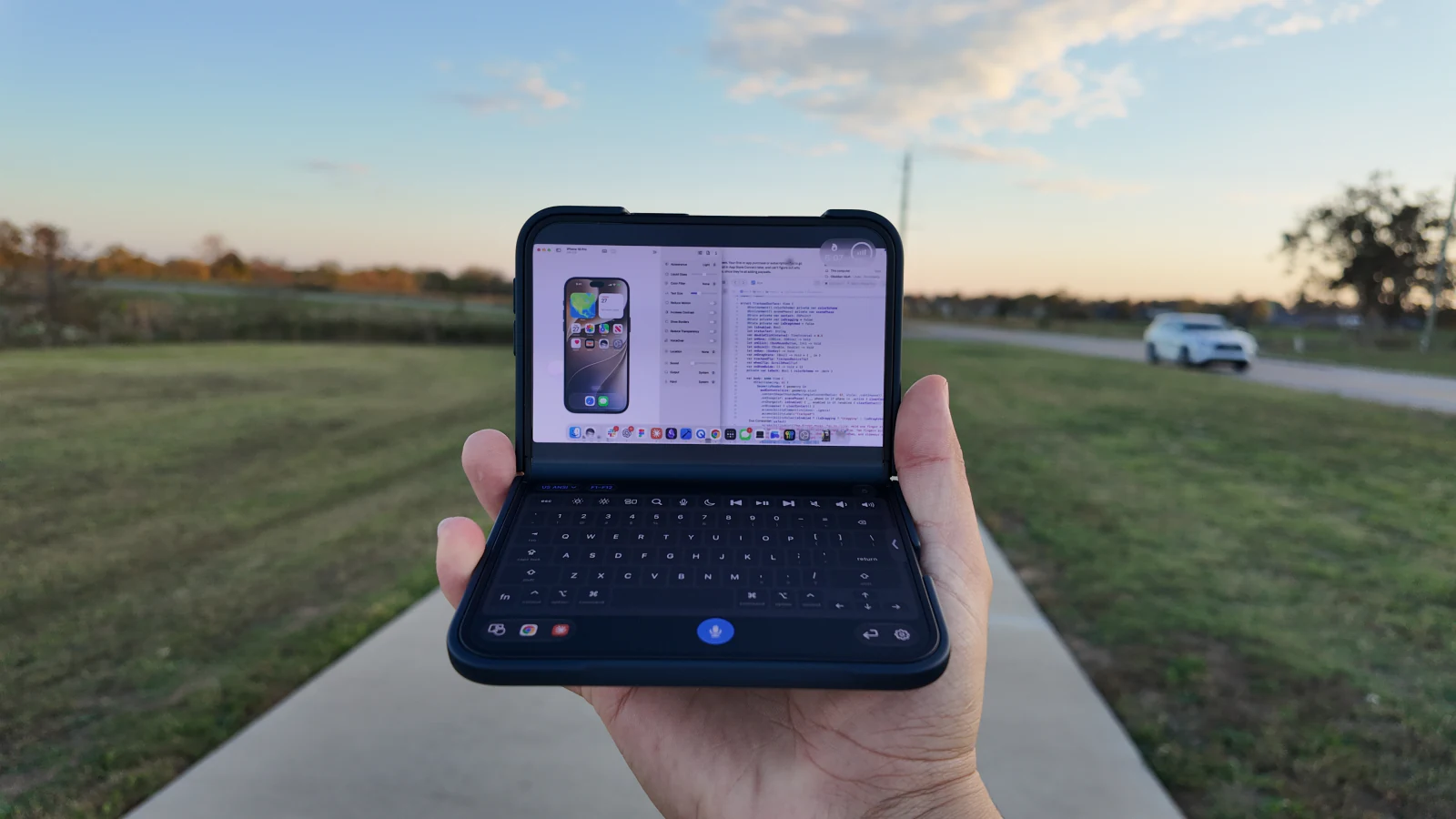
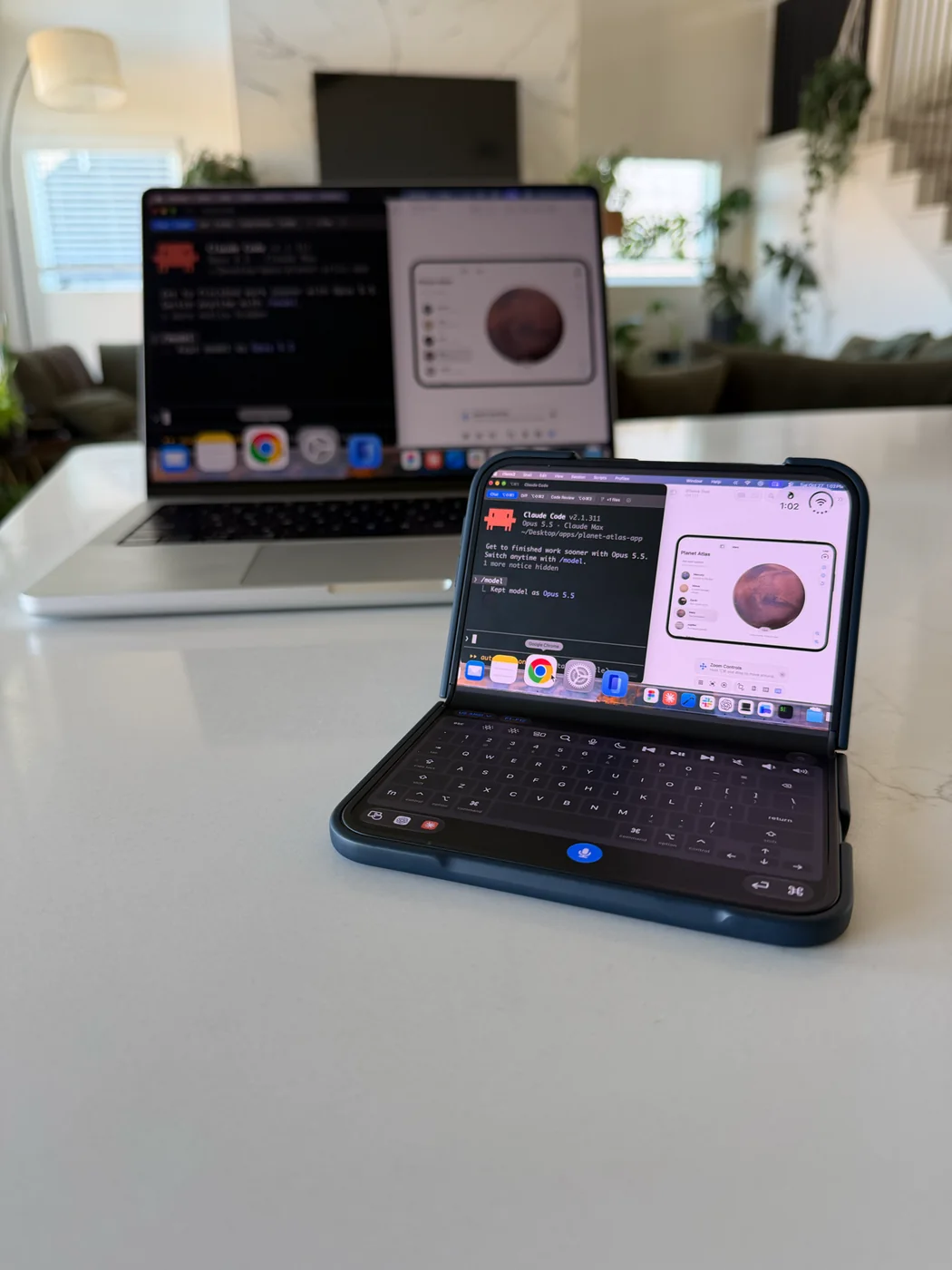
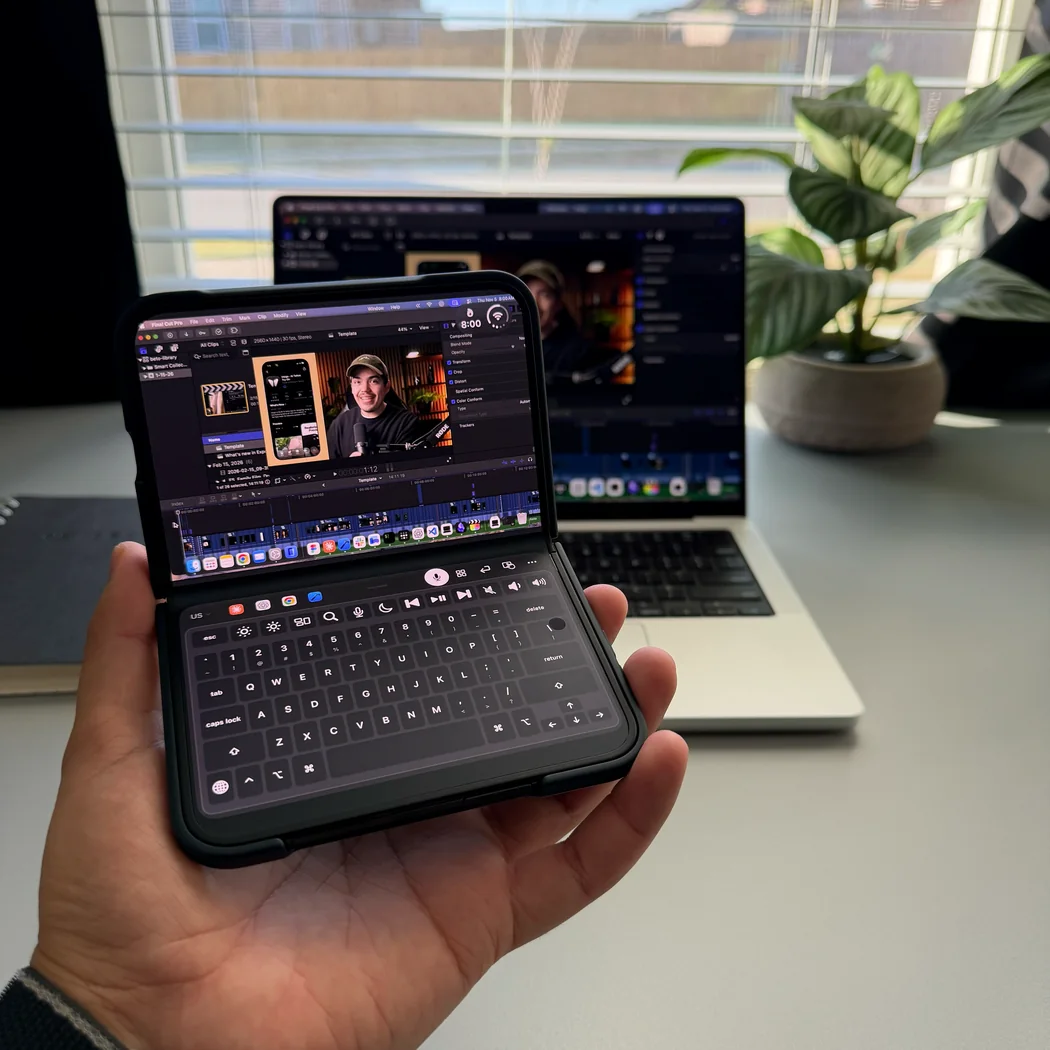
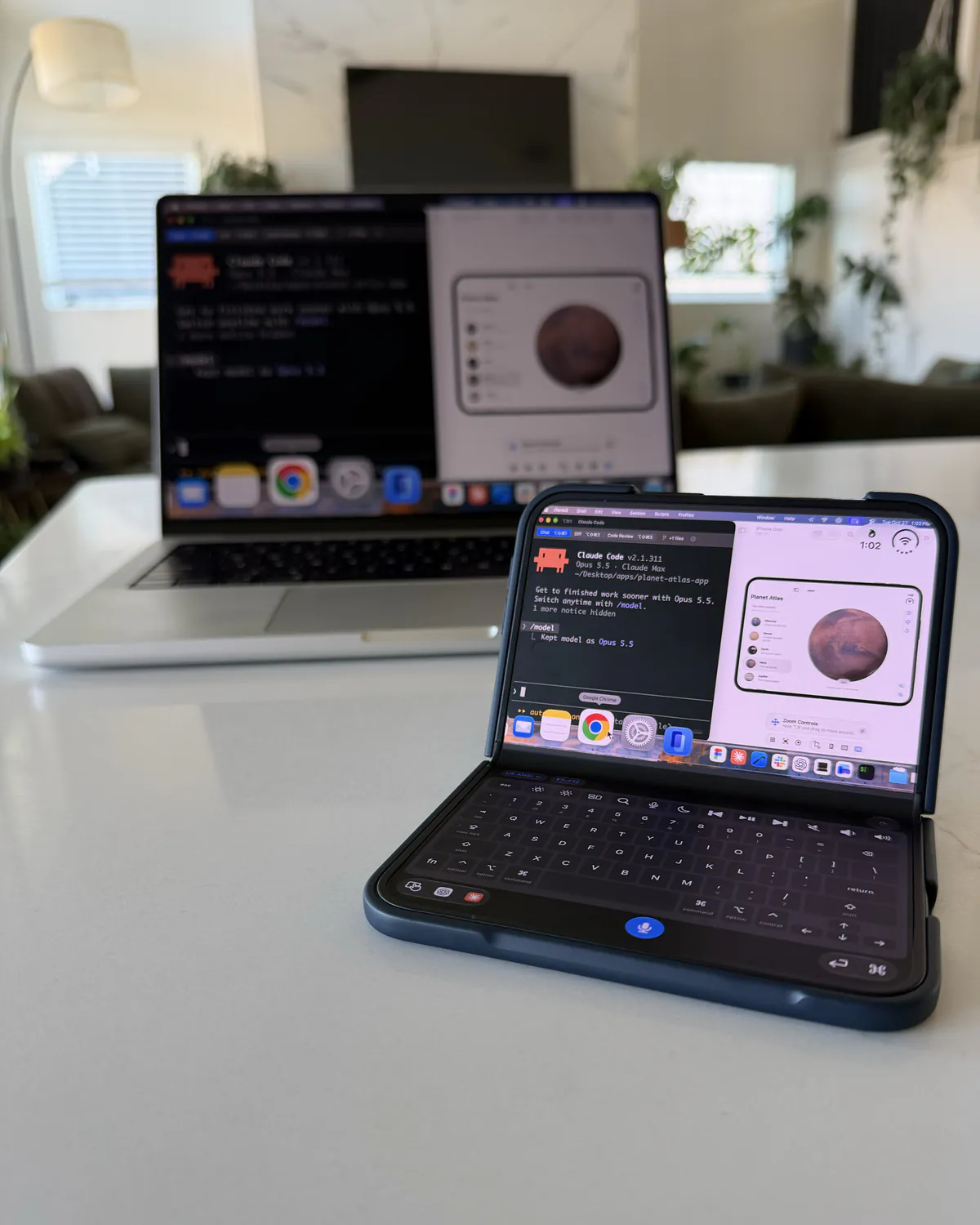
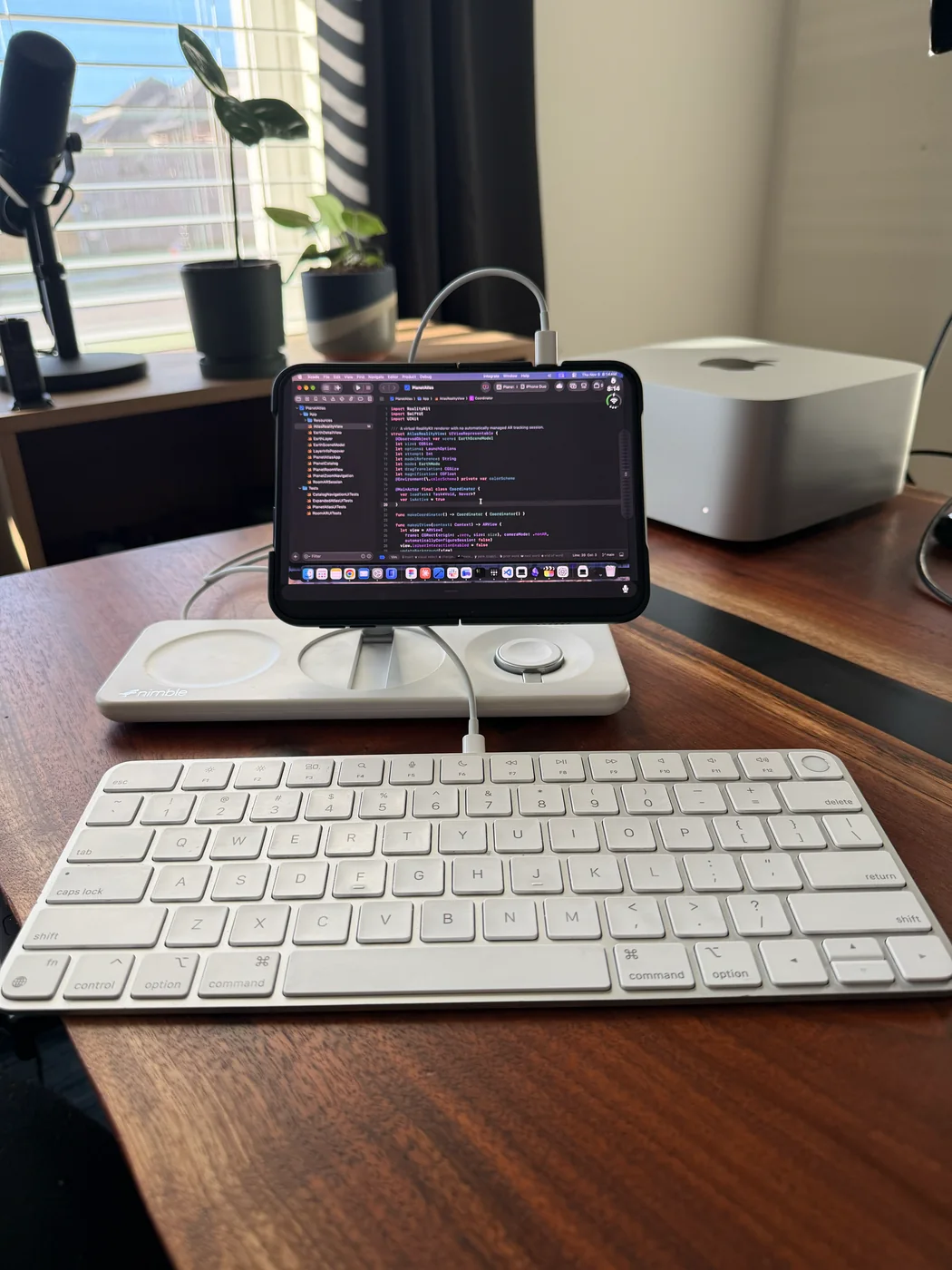
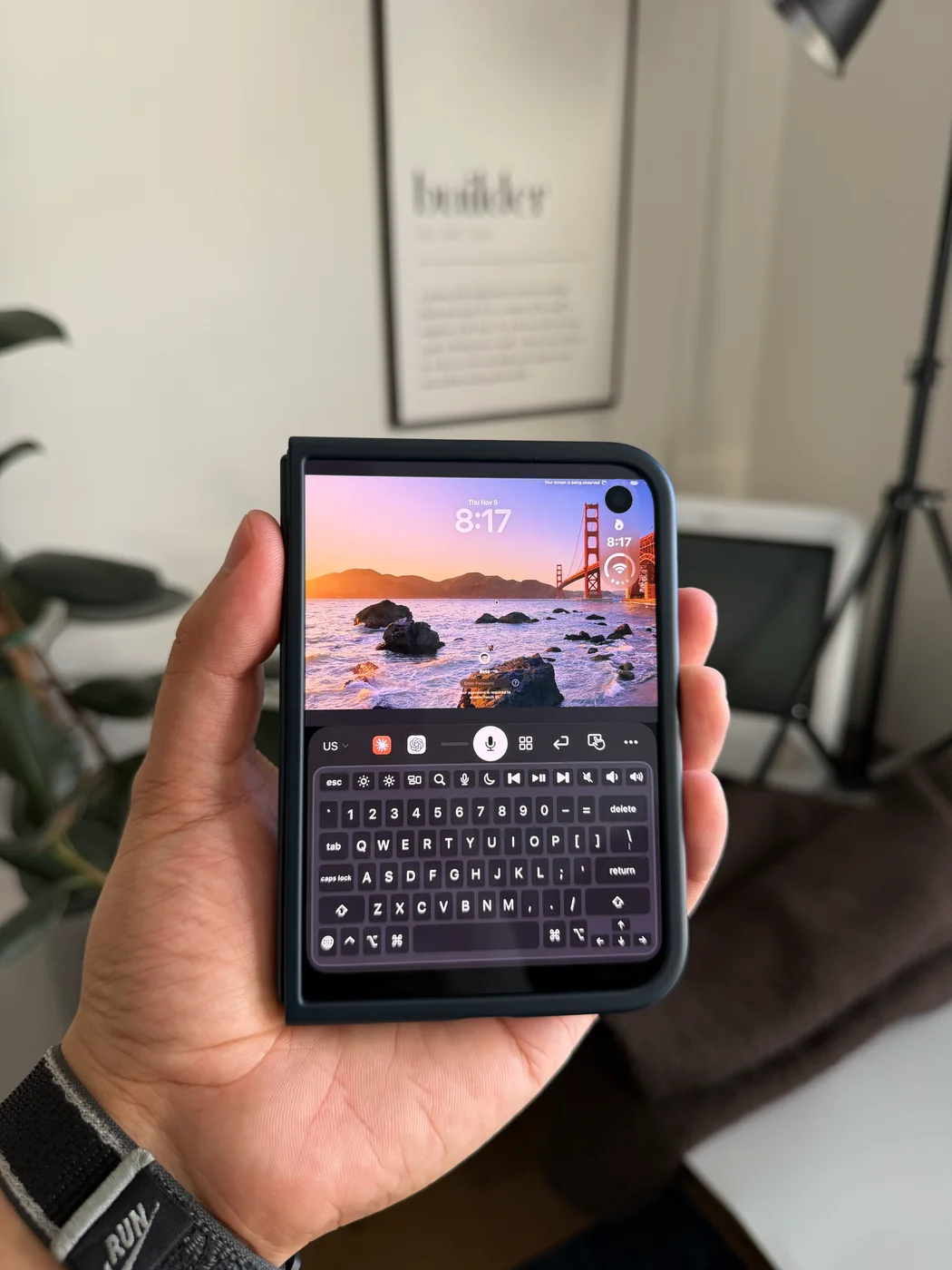
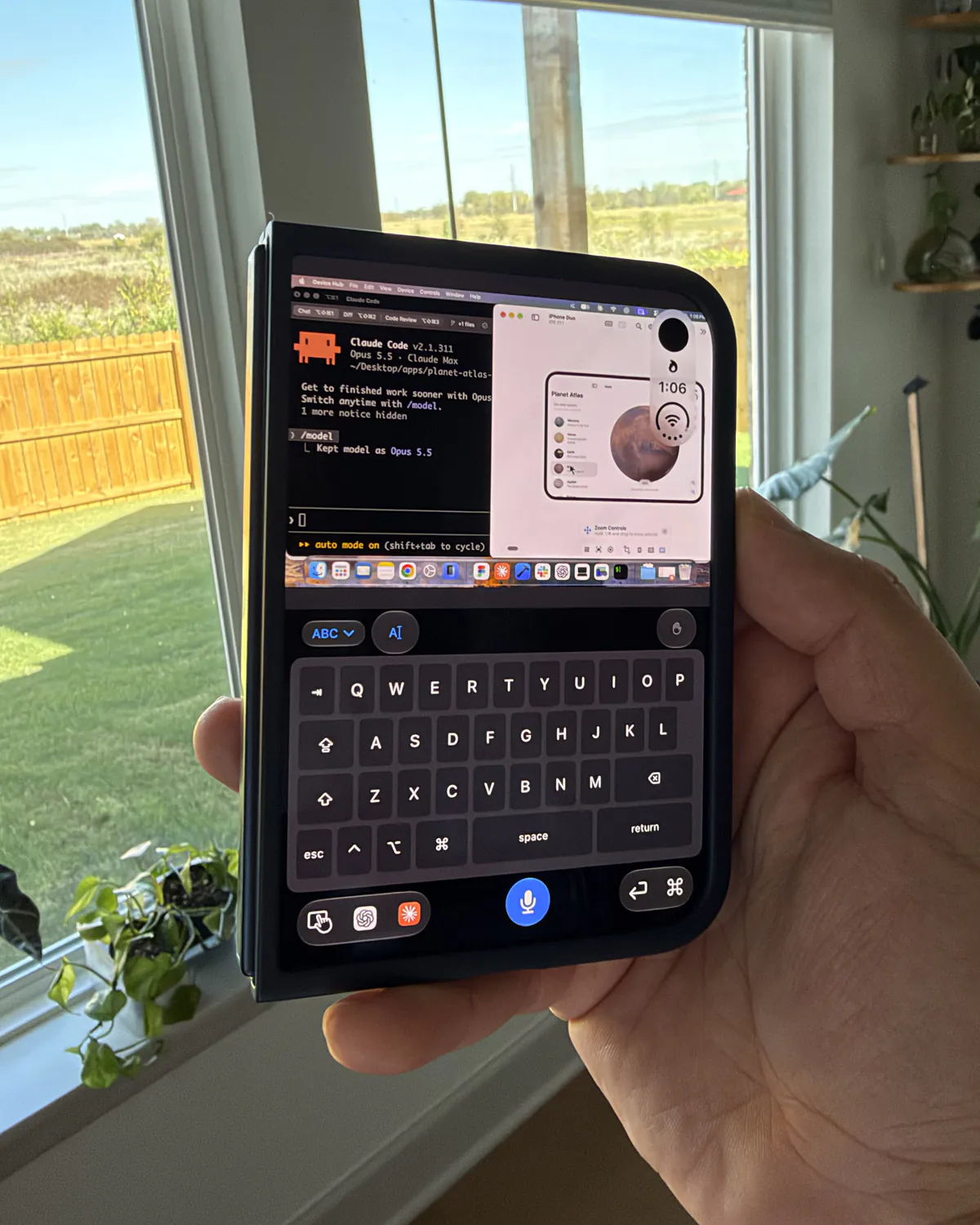
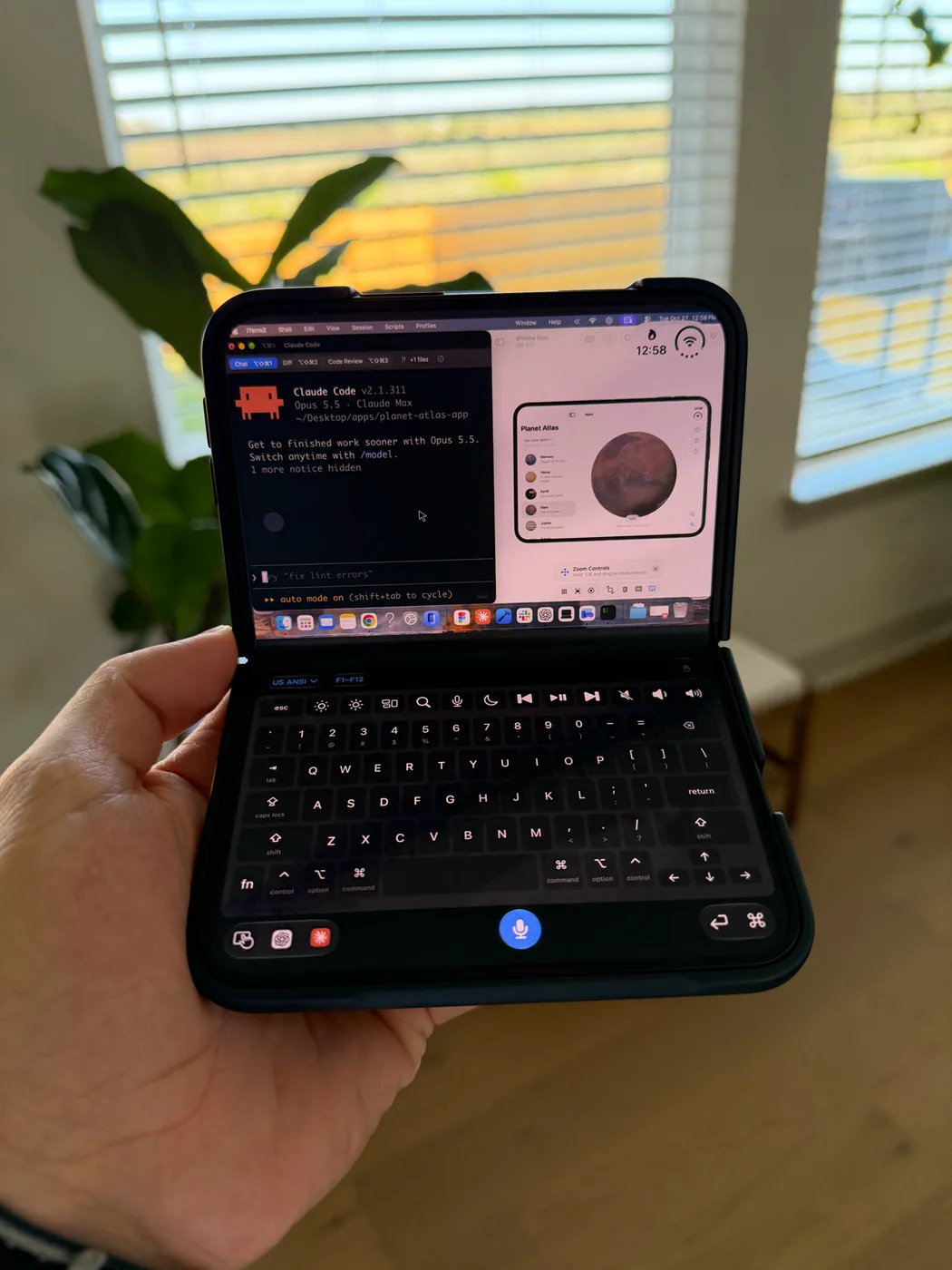
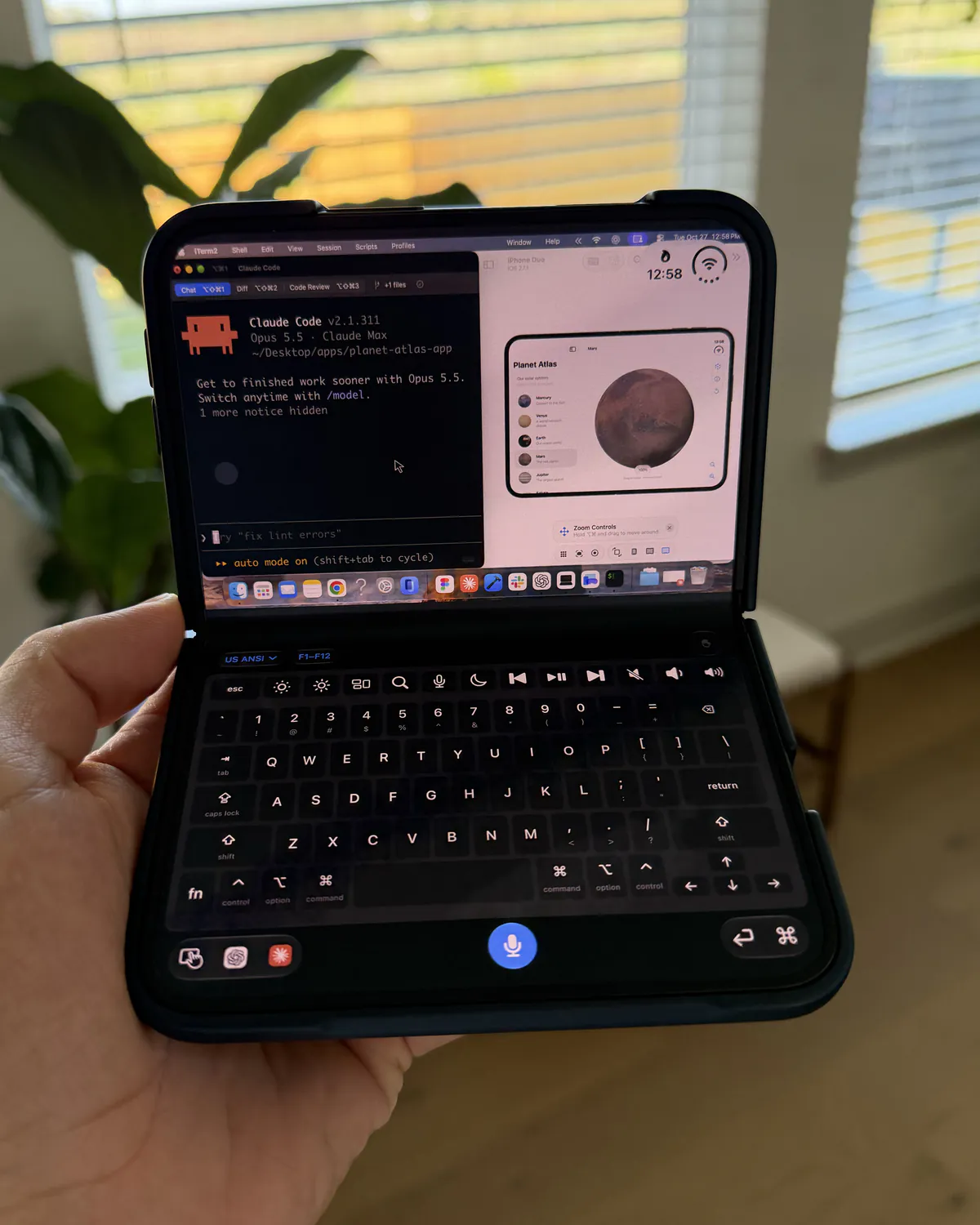
More room for your Mac. Connect a keyboard to type, or use Nimvo’s touch controls and on-screen trackpad.

Three steps. Once.
Give Nimvo Companion Screen Recording and Accessibility permissions, choose a display and leave your Mac awake, signed in and sharing
Scan the code on your Mac with your iPhone to pair directly on your local network
Wi-Fi setup guide ↗Connect both devices to your own Tailscale network and scan the Tailscale pairing code before you leave
Tailscale setup guide ↗Use an iPhone or iPad running iOS or iPadOS 26 or later with an Apple silicon or Intel Mac running macOS 26 or later
Fold-aware layouts on iPhone Duo require iOS 27.1 or later
Yes. Connect a keyboard to your iPad to type into your Mac apps. You can use direct touch or Nimvo’s on-screen trackpad for pointer control.
Some shortcuts are reserved by iPadOS. See the keyboard guide
Your Mac needs to be awake and unlocked before you connect
Turn on Keep this Mac awake while sharing in Nimvo Companion and leave a MacBook’s lid open
Your Mac sends the display you share to your paired device over an authenticated, encrypted connection
At launch, Nimvo will cost $9.99 in the US for a one-time lifetime unlock, with local pricing in the App Store
Nimvo Companion for Mac is free
The Mac companion beta is available below. Nimvo for iPhone and iPad is coming soon on the App Store; TestFlight early access is awaiting Apple’s approval.
One app on your iPhone or iPad. One companion on your Mac.
Each version of Nimvo for iPhone and iPad is made for one version of Nimvo Companion. Nimvo shows which one in Settings, under Mac companion. If it asks for an earlier version, download that one here.

I’m an AI educator at Code with Beto, formerly on the Developer Success team at Expo. I help developers and founders use AI to ship real apps with confidence.
Nimvo is provided by Code with Beto LLC. This policy describes the iPhone app, Mac companion, and this website.
The Mac sends the display you choose to your paired iPhone over an authenticated, encrypted connection, on your local network or through your own Tailscale network if you choose to use it. Pointer actions, key presses, and text you choose to type or dictate travel back to the Mac. We do not operate a relay server for this connection or receive your screen, input, or drafts through the app. Tailscale is a separate service: when you use it, Nimvo’s encrypted connection travels inside your Tailscale network under Tailscale’s own terms and privacy policy. Screen frames are processed in memory; Nimvo does not save a screen recording.
Dictation uses Apple’s on-device speech recognition. The microphone starts only after you choose to dictate and allow microphone access. Your words are sent to the focused Mac app while you dictate. Nimvo does not save audio or send it to a developer-operated transcription service. Apple may need to download a speech model before first use. The most recent 100 finished dictations are kept locally on your iPhone in Dictation history, where you can copy or type them again. Text sent to a Mac app is handled under that app’s own privacy practices.
Pairing credentials and connection details are stored in the system Keychain. You can forget a Mac on the phone or reset pairing in the companion. The Mac’s Screen Recording and Accessibility permissions enable viewing and control. The iPhone uses Local Network access to connect, Camera access to scan a pairing code, and Microphone access for dictation. You can manage these permissions in system settings.
The app has no Nimvo account, advertising SDK, developer analytics, or tracking. Apple may process App Store, TestFlight, and diagnostic information under its own policies and your settings.
Apple handles the one-time purchase. Nimvo uses StoreKit on your device to verify and restore access; it does not send purchase records to a developer server. Your preferences and saved app shortcuts are stored locally. The installed app list and icons travel only between your paired devices and stay in memory; we do not receive them. Your payment details are handled by Apple, not by this website or a Nimvo account.
Nimvo Companion checks our website for a small release file when you open the app, at most once a day. You can turn automatic checks off or choose Check for Updates. Our hosting provider receives normal request information, such as your IP address, to serve that file and app downloads. Update checks do not send pairing credentials, device names, screen contents, or typed text. Connection reports stay on your device unless you choose to copy or share one; they contain versions, connection state, and a limited history of connection events, without pairing keys, addresses, screenshots, or typed text.
We do not use advertising or site analytics scripts. All demos play directly on this site. If you follow the link to watch the full demo on Vimeo, Vimeo receives your IP address and browser details when its site opens. Read Vimeo’s privacy policy. Our website hosting provider receives normal request information, such as an IP address and browser details, to deliver and protect the site. Read Vercel’s privacy notice. If you contact us, we use the information you provide to respond and help with your request. Please do not send pairing codes or passwords.
When you submit the waitlist form with the launch email box selected, we store your email address and request in the Nimvo audience in OneSignal. We send a confirmation link to verify your email address. Only confirmed addresses are eligible for the one-time launch notification; this does not sign you up for ongoing updates. We also record whether you came through the Wi-Fi guide. You can contact us to withdraw your request. OneSignal processes delivery information and may report email opens and link clicks.
If you previously chose launch news and occasional updates through our earlier signup form, you can manage that subscription using the unsubscribe link in those emails. Earlier confirmation links still let you check the status of that signup.
You can skip email signup in the iPhone app’s onboarding, or choose App updates in Settings later. If you sign up, we send your email address and consent to our website and OneSignal, which stores the address, consent date and confirmation status. You must confirm the email link before receiving important Nimvo app updates, such as major changes or issues that affect using the app. This separate opt-in does not sign you up for promotions or the Code with Beto newsletter. You can unsubscribe from any update email or contact us to withdraw your request. OneSignal processes delivery information and may report email opens and link clicks; confirmation uses the email link click. Your Mac screen, input and pairing details are never included.
We’ll update this page if these practices change. Contact us about privacy.Support contact details will be published before the public beta.
These terms cover Nimvo, its Mac companion, and this website, provided by Code with Beto LLC.
You may use Nimvo to view and control devices you own or have permission to access. You are responsible for the actions sent to your Mac and for keeping pairing credentials private. Do not use the app to access someone else’s computer without permission or to interfere with their systems.
The app requires a compatible iPhone and Mac, an awake and signed-in Mac session, the necessary system permissions, and either a local network that allows the devices to communicate or a Tailscale network that includes both devices. Beta software may change, stop working, or become unavailable. We do not promise compatibility with every desktop app, hardware function, or network configuration.
Desktop apps you control remain subject to their own terms and account requirements. Nimvo is an independent utility and is not affiliated with or endorsed by Apple, OpenAI, Anthropic, or Tailscale. It does not include subscriptions to those services.
For an App Store download, Apple’s standard end-user license agreement also applies unless a different agreement is supplied with the app. TestFlight use is subject to Apple’s applicable terms. The App Store version requires a one-time in-app purchase to use its features, with the local price shown before purchase. It has no subscription. Purchases and restoration are handled through Apple; no purchase is offered by this website. Nimvo Companion for Mac is free.
These terms do not limit rights that cannot be excluded under applicable consumer law. We may update this page as the product develops. Contact us with questions.Support contact details will be published before the public beta.